

Feature guides
Bundles and build a box
Let shoppers pick several products from a collection and add them to the cart together, with a discount that grows as they add more. Handsome uses it for "Build a routine"; Woof uses it for "Build a box".
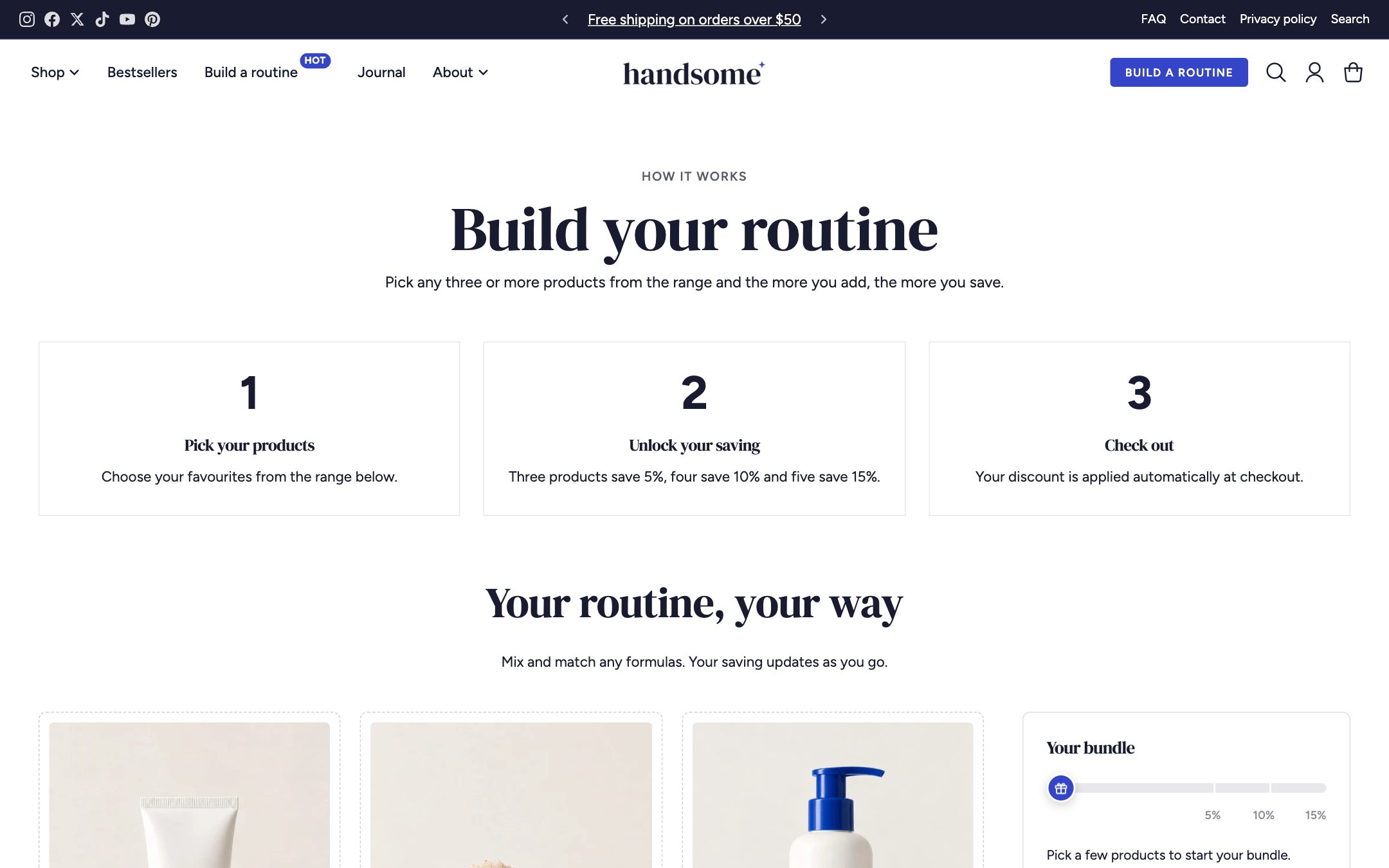
How it works
The Bundle builder section shows products from one collection. Shoppers choose items, a summary shows their selection and the discount they've unlocked, and one button adds everything to the cart.
The discount itself is a normal Shopify automatic discount. The section shows shoppers the tiers; Shopify applies the discount at checkout.
1. Create the collection
Make a collection (for example Build a routine or Build a box) with the products shoppers can choose from.
2. Create the page
- In admin, go to Online Store → Pages → Add page. Give it a title such as Build a routine.
- Under Theme template, choose page.bundle and save.
- In the theme editor, open that page. The Bundle builder section is already there.
3. Set up the section
- Select Bundle builder and choose your Collection.
- Add a Discount tier block for each discount level, for example:
| Items needed | Discount | Label |
|---|---|---|
| 2 | 10 | Pick 2, save 10% |
| 3 | 15 | Pick 3, save 15% |
| 4 | 20 | Pick 4, save 20% |
- Turn on Keep summary in view while scrolling so the total stays visible on long pages.
4. Create the matching discounts
For each tier, create an automatic discount in Discounts → Create discount → Amount off products:
- Method: Automatic.
- Value: the tier's percentage.
- Applies to: the same collection.
- Minimum requirement: minimum quantity of items, the tier's number.
If the numbers in the section and the discounts don't match, shoppers will see one saving and pay another. Change both together.
5. Link to it
Add the page to your main menu, or set it as the link of the header Button block, for example Build a box.